Artificial Intelligence is growing at a breakneck pace – nearly 190 million people used Gr0k AI in March 2025 alone after its latest update With so many flocking to try new AI tools, everyone’s looking for a chance to test the best ones. Super Gr0k AI (Elon Musk’s advanced chatbot via xAI) has quickly become a hot topic among AI enthusiasts. But what if you want to use this powerful assistant without paying? Good news: there’s a handy trick to get Super Gr0k AI For Free using nothing more than a shared browser cookie. 😮
Hello, Roshan here! In this guide, I’ll walk you through accessing Super Gr0k without a subscription by leveraging cookies. It sounds geeky, but don’t worry – I’ll keep it simple and ethical. By the end, you’ll know exactly how to use grock ai for free (yes, free!) and understand the do’s and don’ts of this method. Let’s dive in!
Get Ch@tGPT Premium Cookies | Update Hourly
What is Super Gr0k AI, and Why Do People Want It?

Super Gr0k is the premium version of xAI’s Gr0k AI chatbot – think of it as Gr0k on steroids. Launched by Elon Musk’s team, Gr0k is an AI assistant similar to Ch@tGPT, designed to have a bit of a sense of humor and real-time knowledge from X (formerly Tw1tter). Super Gr0k takes it a step further, offering more power and features for serious users.
Why the buzz? For one, Super Gr0k offers advanced capabilities that the basic version doesn’t. According to xAI, Super Gr0k comes with higher usage limits and powerful features like DeepSearch (for advanced web research), Voice Mode (talk to the AI with your voice), and even a “Think Mode” for solving complex problem. In other words, it’s built for students, researchers, and professionals who need a beefier AI assistant. Imagine having an AI that can cite up-to-the-minute info from the web, speak answers aloud, or break down tough math problems step by step – that’s what Super Gr0k promises.
It’s no surprise people are eager to try Super Gr0k. The only catch: it usually sits behind a paywall. Normally, access to Super Gr0k is paid, meant for users who need more than the free version on X. In fact, until recently you needed an X Premium+ subscription (which was bumped up to a hefty $40 per month lately) to access Gr0k’s full potential. That price can be a blocker for many curious users. While Musk did make basic Gr0k 3 free for all X users in early 2025, the premium features of Super Gr0k still require a subscription.
So, what do you do if you’re not ready to drop that kind of cash, but still want to experience Super Gr0k’s AI magic? That’s where the cookie method comes in. 🏆 Many folks are finding ways to access Gr0k AI without subscription by sharing cookies from an account that does have Super Gr0k. It’s a clever workaround to get a taste of the premium bot for free – and we’re about to show you how it works.
How Do Cookies Allow Free Access (Ethically)?
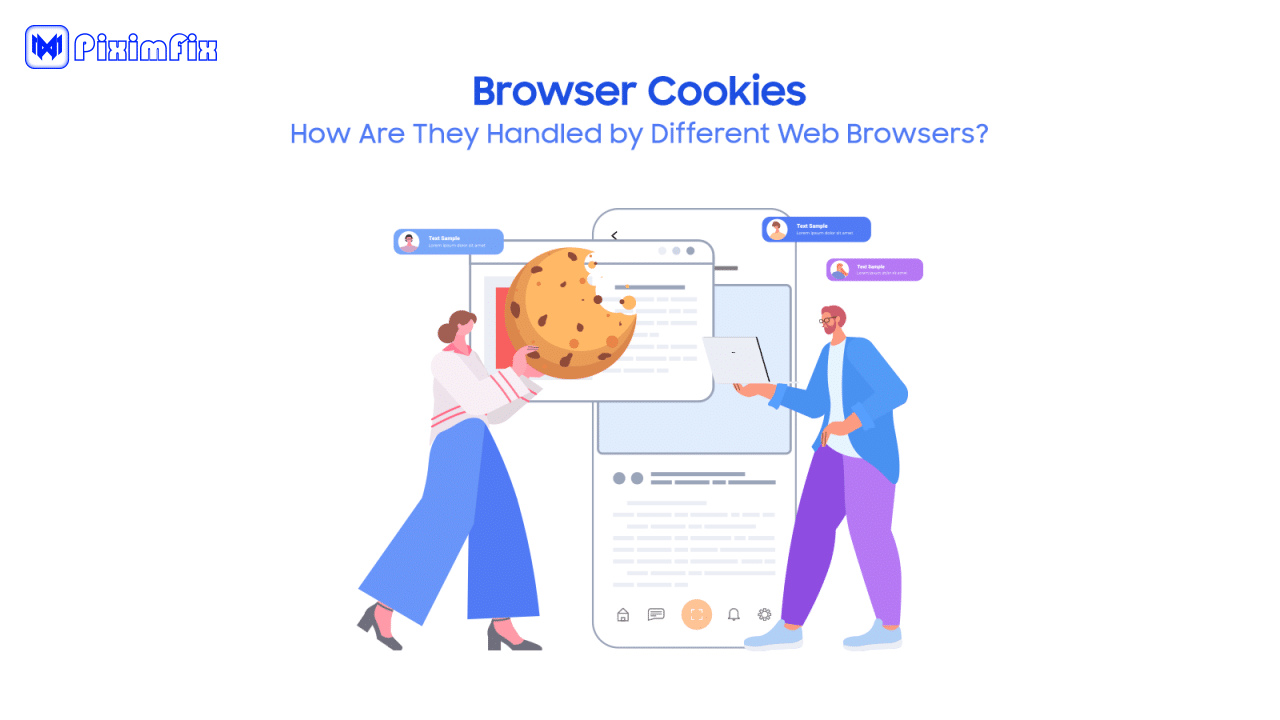
You might be thinking: “Cookies? Are we baking something? 🍪” Not exactly – in the internet world, a cookie is a small text file that websites use to remember who you are. When you log in to any site (like Gr0k’s web portal), that site saves a cookie in your browser containing a sort of ID token. This cookie says, “Hey, this user is already authenticated as XYZ.” So next time you visit, you don’t have to log in again; the site reads the cookie and knows it’s you.
Here’s the trick: If someone shares their login cookie with you, your browser can pretend to be logged in as them, without needing their username or password. It’s like borrowing a VIP access badge. In our case, an account with a Super Gr0k subscription can hand you its “logged-in” cookie. By loading that cookie into your browser, you’ll appear to the Gr0k AI service as if you’re that subscriber – giving you temporary access to Super Gr0k and all its features, effectively letting you use Gr0k AI for free via that session.
Is this ethical and safe? That depends on how you use it. On one hand, you’re not hacking any passwords or exploiting a security flaw – the account owner (in this case, the PiximFix team) is willingly sharing a session cookie with you. It’s similar to a friend saying, “You can use my Netfl1x account on your device for now.” No personal details are revealed to you; you just have a token that says “logged in”.
On the other hand, it’s not exactly how the service intends accounts to be used (one account is technically being shared among multiple people). That’s why we emphasize ethical usage: use the cookie method as a way to try out Super Gr0k or do a quick task, but support the creators if you end up using it often (more on that in the disclaimer later).
A few points to keep in mind about cookies and this method:
- No Personal Info Exposed: The cookie doesn’t show you the account’s login credentials or personal data. You can’t change the account’s settings or see sensitive info – you’re just borrowing the session to access the AI service.
- Temporary Access: Shared cookies usually expire after some time or if the original user logs out. Think of it as a guest pass; it’s not permanent. That’s why communities like PiximFix refresh the cookies regularly (sometimes daily or hourly) to keep access available.
- Use Responsibly: While you have the cookie loaded, you’re effectively “logged in” as that account. This means any queries you ask the AI might be saved in that account’s chat history. So, don’t do anything reckless. Treat it with respect: ask your questions, try the features, but don’t try to, say, change the password (you can’t anyway without credentials) or engage in activity that could get the account flagged.
In short, cookies are your key to the kingdom – a way to sneak past the login gate without climbing any fences. Now that you understand the concept, let’s get practical: how exactly can you use a shared cookie to start chatting with Super Gr0k AI for free?
Step-by-Step: Using Super Gr0k Cookies to Get Gr0k AI for Free
Ready for the hands-on part? Follow these steps to unlock Super Gr0k using the cookie method. You don’t need to be super techy – just pay attention and you’ll be up and running in minutes.
- Get the Latest Super Gr0k Cookie. First, you’ll need the actual cookie data from a Super Gr0k-enabled account. PiximFix provides updated cookies for Super Gr0k (and many other premium services) on our site and T3legram channel. The easiest way: join our T3legram channel (PiximPlanet) where we post new Super Gr0k cookies whenever the old ones expire. You can also check the PiximFix website’s Cookies section for a post titled “Get Super Gr0k Cookies” (updated frequently). Copy the cookie text or file we provide — this is essentially a chunk of text (JSON format) that represents the logged-in session.
- Install a Cookie Editor Extension (Desktop). To add the cookie to your browser, it’s easiest to use a browser extension. We recommend using a desktop browser like Chrome or Firefox with a tool like “Cookie Editor” (available for free in the Chrome Web Store and Firefox Add-ons). Install the extension, which will let you quickly import cookies for a given site. (Mobile users: Don’t worry, you can do this too – see the note below.)*
- Open the Gr0k AI Web App. In your browser, navigate to the official Super Gr0k AI web interface. This might be on gr0k.com or x.ai – whichever URL hosts the Gr0k chat login. Make sure you’re on the login page or main page for Gr0k. If you’re currently logged into any account there, log out or use an incognito/private window to avoid conflicts (you want a blank slate to import the new cookie).
- Clear Existing Cookies for Gr0k. Once on the Gr0k site, click the Cookie Editor extension icon. In the extension, find an option to Delete All Cookies for that site. This ensures no old cookies interfere with the one you’re adding.
- Import the Shared Cookie. Now, take the cookie data you copied in step 1 and import it via the extension. In Cookie Editor, there’s usually an “Import” or “Replace” button: paste the cookie JSON text and apply it. (If your cookie data is a file, you might upload it – but usually, PiximFix shares it as text you can copy-paste.)
- Refresh the Page. Moment of truth! Reload the Gr0k AI webpage. If the cookie was applied correctly, the site should now recognize you as logged in with a Super Gr0k account. You might see the account name (some alias we use) or directly see the chatbot interface without any login prompt. You should also notice premium features unlocked – for example, options for DeepSearch or Voice Mode might now be clickable, or a label indicating “Super Gr0k” access.
- Start Using Super Gr0k AI – for Free! 🎉 Now you can interact with the AI as if you were a subscriber. Ask it questions, have it solve problems, try out those special modes. Enjoy the full experience of Gr0k’s top-tier features without paying a cent. If you’re curious what to try, here are a few ideas:
- Use DeepSearch to have Gr0k scour the web on a topic you’re researching.
- Switch to Voice Mode and speak a question to hear Gr0k’s spoken response.
- Enter Think Mode (Big Brain) and give it a tricky math or coding problem to see the step-by-step reasoning.
- Don’t Log Out or Reset the session in the browser. If you click “Log out” or the session times out, you’ll lose access and would need to import a fresh cookie again. It’s best to just close the tab when you’re done, and later, when you want to use Gr0k again, repeat the process with a new updated cookie if needed.
Mobile Users: You can also do this on mobile, although it requires a browser that supports extensions (for Android, apps like Kiwi Browser or Yandex Browser allow installing the Cookie Editor extension). The steps are essentially the same – install the extension in that browser, import the cookie for gr0k.com, and you’re set. iPhone users have it a bit trickier since Safari doesn’t allow such extensions easily; you might need to use a specialized app or a shortcut script. If mobile is your only option, consider using our T3legram updates to stay in the loop on user tips for mobile, or use a laptop if possible for simplicity.
If the above steps went well, you should have Super Gr0k at your fingertips – for free. 😎 Go ahead and enjoy a session with the AI. For many users, it’s exciting to test out the premium features and see if they find it useful.
Stay Updated: Join Our T3legram for Fresh Cookies
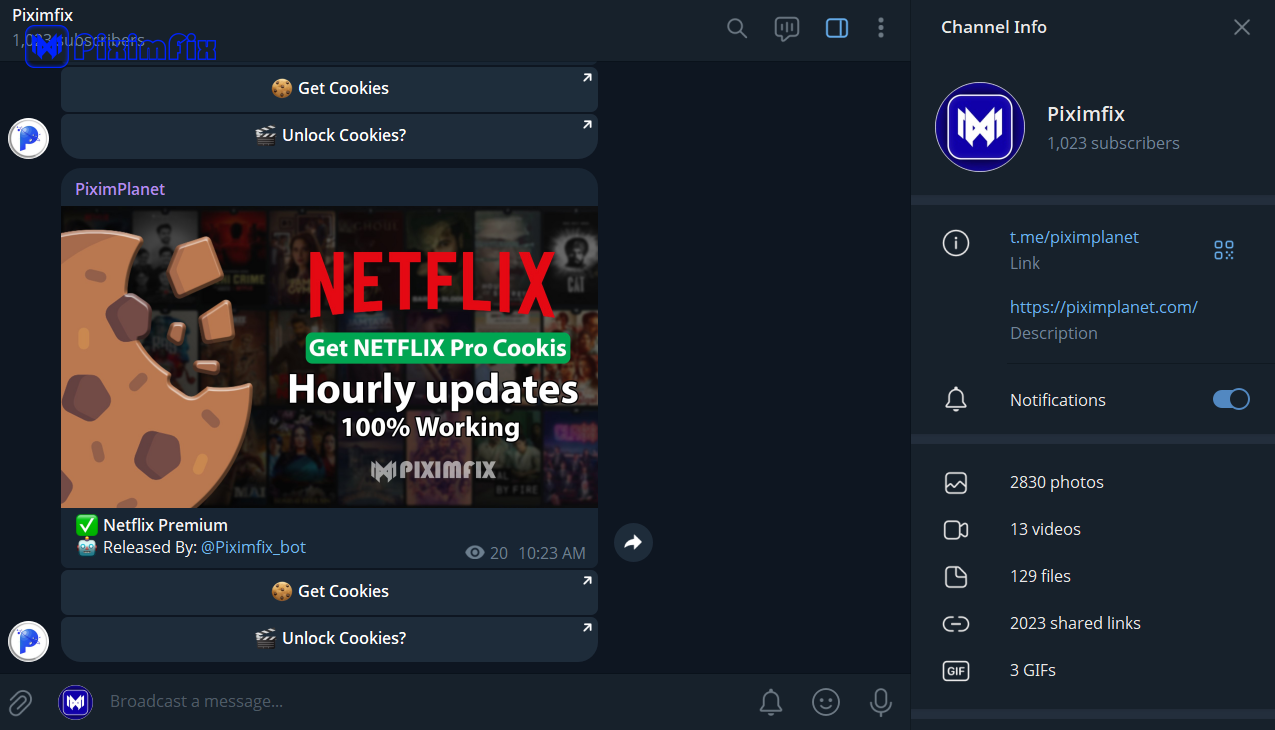
Because this free-cookie method relies on someone else’s session, the access can be unpredictable. Cookies can expire quickly – sometimes in a day, or even a few hours if the service is strict or if multiple people use it. We at PiximFix are on top of it: we regularly update and share new working cookies to minimize downtime.
👉 Join the PiximPlanet T3legram channel for real-time updates. We post new Super Gr0k AI cookies as soon as they’re available, often daily or hourly. If one cookie stops working, you can grab the latest one from the channel and repeat the import process. Our T3legram community is also a great place to ask questions if you run into any issues. Plus, you’ll find cookies for other cool services and a bunch of like-minded tech enthusiasts sharing tips.
By staying in the loop, you’ll ensure you always have a way to access Gr0k AI without subscription hassles. Just remember to be patient if things are down – we might be fetching a new cookie or the service could be temporarily limiting access. We’ll do our best to keep you updated so your AI exploration isn’t interrupted for long.
Disclaimer & Support the Original Creators
Before you get too comfy with free Super Gr0k access, a friendly disclaimer: This guide is for educational and personal use. Using shared cookies to access a paid service likely violates the service’s terms of use. While it isn’t “hacking” in the criminal sense, it is a workaround that the creators didn’t intend. Use this method responsibly and at your own discretion. PiximFix provides these cookies to help users test and experience tools before committing to them, but we absolutely do not endorse abusing the service or using it for anything nefarious.
Respect copyright and ownership: Super Gr0k AI is a product of xAI (Elon Musk’s company). They’ve invested huge resources to build this amazing tool. If you find Gr0k helpful and you’re using it regularly, please consider subscribing officially. Think of the cookie method as a free sample. It’s awesome to get a free taste, but if you keep coming back for more, the right thing to do is to support the developers and pay for a subscription. This not only keeps you within the legal usage bounds, but it also encourages the creators to continue improving the AI.
At PiximFix, we strongly believe in balancing accessibility with ethics. We want you to learn and benefit from technology, but also to give credit (and payment) where it’s due. Use this guide as a way to try before you buy, not as a way to permanently avoid paying. Always abide by any applicable laws, and don’t distribute the cookies beyond personal use.
Finally, remember that the risk is yours – if xAI detects unusual activity (like one account being used from many locations), they could invalidate the shared cookie or even ban the account. We do our best to stay under the radar, but nothing is guaranteed. By following this guide, you agree that you’re aware of these risks.
Happy gr0kking, and kudos for being curious! Now, onto some common questions you might have:
FAQs
Q: Is it legal or allowed to use shared cookies for Super Gr0k?
A: It’s not illegal in terms of breaking the law, but it violates the terms of service of the Gr0k AI platform. Using a shared cookie is basically logging in as someone else. The xAI team likely doesn’t allow account sharing in their user agreement. That said, many users do it to try the service. The worst that usually happens is the cookie gets invalidated or the account might get flagged (which is our risk at PiximFix).
As an individual, you probably won’t get into any trouble beyond losing access if the cookie is shut down. Still, use it only for trying out the AI. If you enjoy the service, support the creators by subscribing to stay on the right side of the rules.
Q: The cookie isn’t working or has stopped working – what do I do?
A: Because these cookies are shared and a lot of people might be using them, they can stop working fairly quickly. If you imported a cookie and it didn’t log you in, or you were using Gr0k and suddenly got logged out, the cookie likely expired or was invalidated. Don’t panic – just grab the latest cookie from our T3legram channel or website and import that one instead. We update the Super Gr0k cookies frequently (sometimes several times a day).
Always use the most recent one. Also, double-check that you followed the steps correctly: clearing old cookies, importing on the right domain, etc. If multiple attempts fail, give it a little time and check back for a new cookie (the service might have temporarily rate-limited access).
Q: Can I use the Super Gr0k cookie method on my phone or tablet?
A: Yes, with some extra effort. The key is being able to import cookies on your mobile browser. On Android, you can use browsers like Kiwi Browser or Yandex, which let you add Chrome extensions (so you can install the Cookie Editor extension there). The steps will be the same: paste in the cookie and refresh. On iOS, it’s trickier since Safari doesn’t support that functionality out of the box.
You might explore using a developer tool or a third-party app that can edit cookies, but it’s a bit technical. If you’re not comfortable doing that on iOS, try using a computer, or ask in our T3legram — someone may have a simplified method or app suggestion for iPhone. In general, desktop is the most straightforward way to enjoy grock ai for free via cookies.
Q: Does this give me all the Super Gr0k features?
A: Yep! When you use a valid Super Gr0k cookie, you’re essentially logged in as a Super Gr0k subscriber. That means you should have full access to the premium features and higher limits of the account. You can use DeepSearch, Voice Mode, Think Mode, and anything else included in the Super Gr0k plan. Keep in mind, the experience might vary slightly depending on how xAI rolls out features. (For example, some features might be in beta or only on certain platforms like the mobile app vs web.)
But generally, you’re getting the complete Super Gr0k experience. If something premium isn’t available, it could be a glitch or the feature is tied to the X app which cookies alone can’t unlock on web – but so far, users report getting all the major perks on the web interface using this method.
Q: Are there official ways to access Gr0k AI without a subscription?
A: Officially, the basic Gr0k 3 chatbot is free for all X users now, but it’s limited in capabilities compared to Super Gr0k. You can log into your X (Tw1tter) account and use Gr0k’s free version with a cap on how much you can ask and without advanced features. The premium Super Gr0k, however, normally requires a paid plan (X Premium+ or a forthcoming SuperGr0k subscription). Elon Musk’s xAI did run a promotion for students – offering Super Gr0k free for 2 months if you sign up with a .edu email.
That’s a legit route if you’re a student. Aside from that, and our cookie-sharing workaround, there’s no permanent free official access to Super Gr0k as of now. If you just want to get a feel for Gr0k, try the free basic version on X or use our method here to experience Super Gr0k’s full potential temporarily.
Q: Can other people see my conversations when I use a shared cookie?
A: It’s possible that they might, so assume no privacy when using a shared account. If multiple users are logged into the same Super Gr0k account via the cookie, the chat history could be collectively visible. For example, if someone asks a question and then you use the same cookie, you might see their last query in the history (or vice versa). PiximFix accounts are usually used solely for sharing cookies and aren’t for personal use, so there shouldn’t be sensitive info there. Still, do not input any personal or sensitive data when using the shared Gr0k session.
Treat it like a public computer – use it for general purposes, and clear the conversation if you want to be courteous to the next user. We periodically reset histories if needed. Bottom line: enjoy the AI, but keep your queries generic and assume they might be seen by others who use the same login.
By now, you should be all set to explore Super Gr0k AI without paying a dime (at least for a trial run). It’s pretty amazing that with just a bit of cookie swapping, you can tap into a cutting-edge AI that’s helping people solve problems and get creative every day. Remember to use this power responsibly and support the developers if you find yourself relying on Gr0k regularly.